
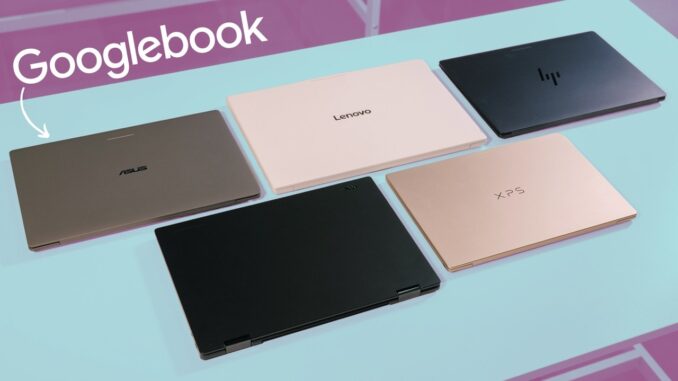

Googlebook is not being positioned as a minor Chromebook refresh. It is a complete rethink of Google’s laptop platform, combining an Android foundation with the desktop interface, browser, and security approach that made ChromeOS so compelling in the first place.
The idea is pretty straightforward: if Android is already the center of your digital life, your laptop should feel like a natural extension of your phone. Googlebook aims to finally make that happen with native phone continuity, AI features that are actually tied to the work on screen, and five premium laptops from Acer, ASUS, Dell, HP, and Lenovo.

Quick Summary
- Googlebook combines an Android foundation with a desktop interface, browser, and security architecture.
- Phone continuity includes task handoff, native Files access, and streamed Android apps in desktop windows.
- Magic Pointer, Rambler, and generated widgets put Gemini into everyday desktop workflows.
- Five premium Googlebook laptops launch from Acer, ASUS, Dell, HP, and Lenovo.
Table of Contents
- Googlebook OS Starts With Android, but It Is Built for a Laptop
- Gemini Is Built Into the Work Instead of Sitting Off to the Side
- A Premium Hardware Baseline Across Every Googlebook
- The Five Googlebook Laptops
- What Comes With Every Googlebook
- Availability
Googlebook OS Starts With Android, but It Is Built for a Laptop
Googlebook runs Googlebook OS, an operating system built on a full Android stack while retaining a desktop UI, a full web browser, and Google’s familiar security architecture. The major difference is that this is not Android simply stretched across a larger screen. Googlebook is designed from the ground up around the connection between an Android phone and a desktop computer.
For anyone carrying an Android phone every day, that connection is the headline feature. Googlebook makes the phone feel less like a separate device you have to constantly reach for and more like a built-in part of the laptop experience.

Continue On Picks Up Phone Tasks on the Bigger Screen
The first continuity feature is called Continue On. Start something on your phone, open your Googlebook, and the active task is waiting directly in the desktop taskbar.
Google’s example was a BandLab project started during a commute. Once the laptop opens, that same project can be resumed from the taskbar right where it was left on the phone. This is the kind of handoff that makes sense because it removes the usual friction of finding the app again, reopening the project, and getting back to the right spot.
Your Android Phone Appears in the Files App
The Files app integration may be even more practical. Rather than emailing yourself photos or repeatedly using Quick Share to move a file, the connected phone appears natively inside the Googlebook Files app, almost as though it were a mounted USB drive.
That means phone storage, photos, and other files are available when needed. Click the phone in the sidebar, grab the file, and move on.

Cast My Apps Brings Phone-Only Tasks to the Desktop
Cast My Apps is designed for those moments when an app does not have a useful web version, but you still need it while working on the laptop.
Need to retrieve a two-factor authentication code? Need to interact with a delivery app? Rather than picking up the phone or finding and launching another desktop app, Googlebook can stream that Android app into an isolated desktop window. It stays true to the phone experience while remaining accessible right alongside everything else on the desktop.
Gemini Is Built Into the Work Instead of Sitting Off to the Side
Google also spent a lot of time on the AI side of Googlebook, and all five launch devices are said to include dedicated on-device NPUs capable of more than 45 TOPS. The goal is not just to put a chatbot in a side panel. It is to make Gemini useful in the moment, based on what is already on the screen.
Magic Pointer Turns the Cursor Into an AI Shortcut
Magic Pointer is probably the clearest example. Wiggle the mouse cursor or use a keyboard shortcut, select the information you need, and call Gemini into that context.
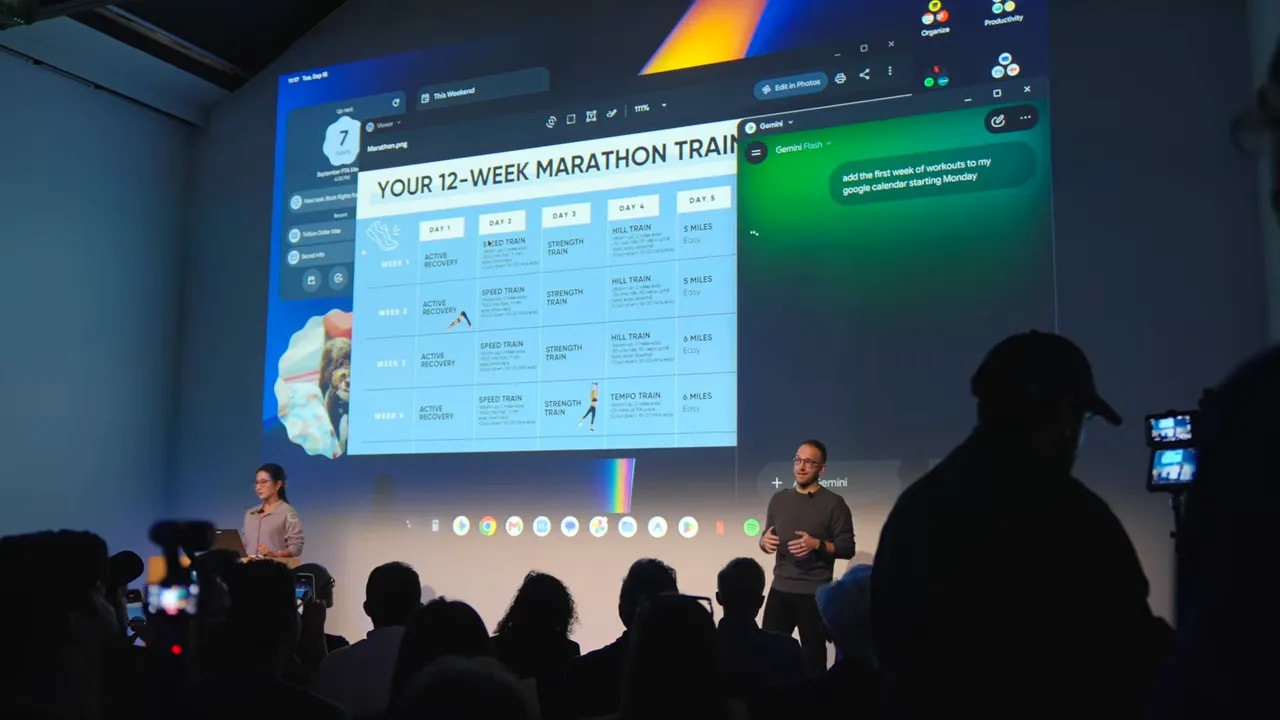
During the on-stage demonstration, a messy half-marathon training schedule was displayed on a regular web page. The page was not interactive and did not provide an easy calendar export. Magic Pointer selected the schedule, Gemini was asked to put it on a calendar, and the entire plan was added to Google Calendar in a formatted form.
That same interaction could be useful for inspecting a suspicious email for phishing signals or selecting multiple images and asking Gemini to combine them visually. The interesting part is that the AI action begins with the thing already in front of you, not with a separate process of copying, pasting, explaining, and hoping the assistant understands what you mean.
Rambler Cleans Up a Verbal Brain Dump
My personal favorite is Rambler, which lives inside the Quick Insert experience brought over from ChromeOS. It is a more thoughtful version of voice dictation.
Ordinary dictation faithfully captures every pause, filler word, and half-formed thought. Rambler is designed for more conversational thinking. Speak freely, jump between languages if that is how your brain works, and let the feature turn the rough brain dump into clear, concise, structured language.
For notes, outlines, early drafts, and ideas that are difficult to type as quickly as they arrive, that could be a genuinely helpful tool.
Widgets Finally Arrive on Google Laptops
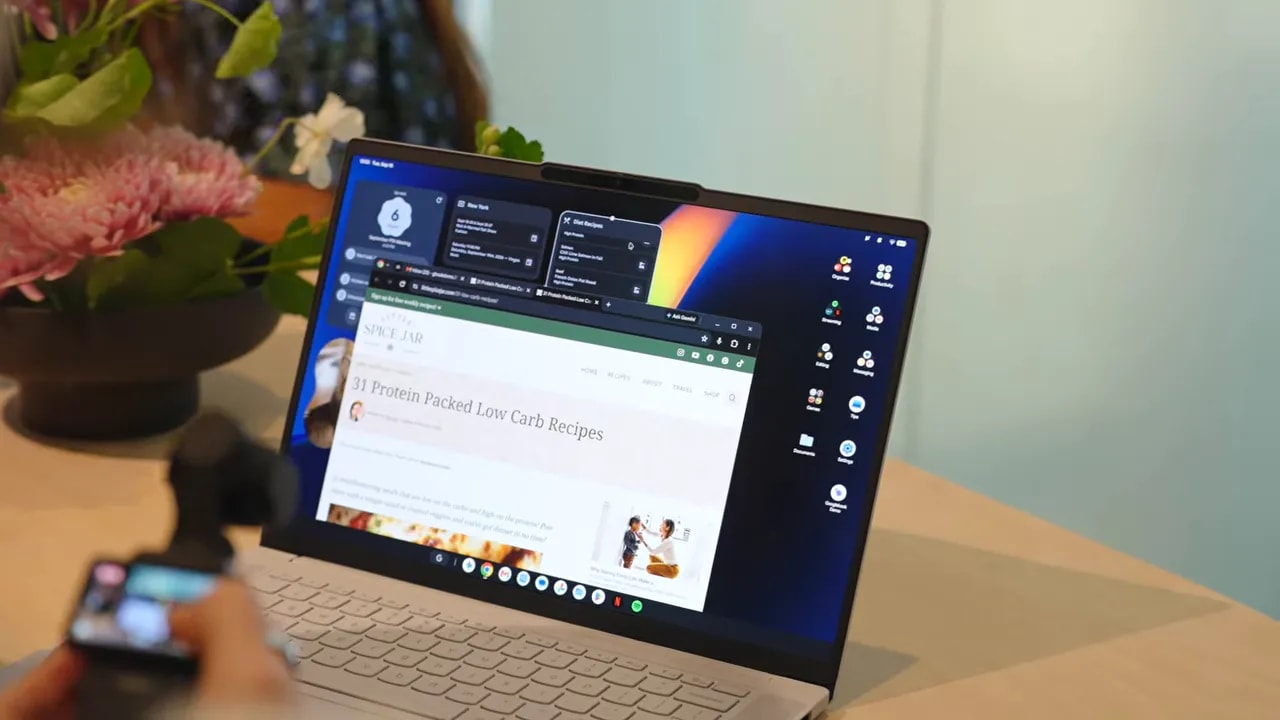
Googlebook also introduces desktop widgets and desktop shortcuts, two things Chromebooks have been missing for a long time. The AI twist is Create My Widget, which lets you describe the kind of widget you want in plain English and generate a custom option from that description.
There is a lot of room for creativity here. The underlying addition of widgets matters just as much as the AI generation piece, because it gives the desktop a new layer of at-a-glance utility.
A More Capable Linux Environment for Developers
Developers are getting meaningful attention, too. Googlebook includes a full command-line terminal in a deeply isolated, secured environment tied directly to the hardware.
That setup offers access to hardware ports, the local network, and standard Git repositories while keeping the core operating system stable and protected. It is a major step beyond treating Linux as a limited add-on, and it makes Googlebook a much more serious proposition for development workflows.
A Premium Hardware Baseline Across Every Googlebook
The software is the reason Googlebook exists, but the hardware standard across the five opening devices is a big part of what makes this launch feel different. Google and its OEM partners have established an unusually high baseline right out of the gate.
Every Googlebook is built from premium materials, including machined aluminum, magnesium alloy, or carbon fiber. The fit and finish across the lineup feel impressive, and every model supports one-finger lid opening.
Here is what is common across the initial family:
- High-resolution touchscreens, with nearly every model using an OLED panel at more than 500 nits
- Custom backlit keyboards using Google’s new keyboard layout
- Large glass haptic touchpads on nearly all models
- High-quality cameras and fingerprint sensors on every device
- IR facial recognition on select models
- Dolby Atmos speaker systems and multi-microphone arrays with noise cancellation
- At least 14 hours of battery life
- A minimum of 16GB of RAM and fast SSD storage
And yes, the Glow Bar is back. That familiar detail from the Chromebook Pixel era animates when the laptop boots, sweeps to show battery level, and pulses during Gemini interactions. It is a small visual touch, but it gives these devices an identity that feels distinctly Google.

The Five Googlebook Laptops
Acer Googlebook 14: The Only 360-Degree Convertible
The Acer Googlebook 14 is the only convertible in the launch group. Its aluminum and magnesium chassis weighs 2.7 pounds, and it is powered by Intel’s Core Ultra 3 Panther Lake processor.
It features a 14-inch, 2.8K OLED 500-nit touchscreen. If you want a Googlebook that can work in tent mode for media, fold flat for tablet-style use, or operate as a traditional laptop, Acer has the exclusive option. Pricing starts at $899.

ASUS Googlebook 14: Extreme Portability Without a Spec Cut
The ASUS Googlebook 14 is all about portability. At just 2.2 pounds, its thin aluminum-magnesium build was one of the most surprising devices to pick up. Yet ASUS did not get there by stripping away the premium pieces.
It includes Intel Core Ultra 3, a 14-inch 3K OLED display rated at 500 nits, a full glass haptic trackpad, and a fingerprint scanner. It starts at $1,299.
Dell XPS Googlebook: Compact and Unmistakably XPS
Dell is back in the Google laptop world with the Dell XPS Googlebook, starting at $1,199. It brings the recognizable XPS industrial design into this ecosystem in a compact 13-inch package.
It has a 2.5K, 500-nit display inside a 12.5mm-thin machined aluminum frame that weighs 2.5 pounds. Dell selected Qualcomm’s Snapdragon X Elite processor, alongside 16GB of RAM and 512GB of storage. The device also includes a glass haptic trackpad, fingerprint authentication, and IR face unlock.
HP Googlebook 14: Cool, Quiet Snapdragon Efficiency
The HP Googlebook 14 also uses the Snapdragon X Elite platform, with the kind of cool, quiet ARM efficiency and battery potential that comes with it. It starts at $1,299.
HP pairs that processor with an all-aluminum 2.7-pound unibody, a 14-inch 2.8K OLED 500-nit touch display, a haptic trackpad, a fingerprint scanner, and a keyboard that feels especially good to type on.
Lenovo Googlebook 15: A Larger Display Without the Usual Weight
The Lenovo Googlebook 15 is the large-screen option, starting at $1,299. It features a 15.3-inch 2.8K OLED display, Dolby Atmos audio, and Intel Core Ultra 3 processing.
The really wild part is the weight. Lenovo uses a mix of magnesium alloy and carbon fiber to bring the system down to 2.68 pounds. That makes this 15.3-inch Googlebook lighter than some of the 14-inch models in the room.
It also includes IR face authentication, a fingerprint scanner, and a huge haptic trackpad. If multitasking space is the priority, this is clearly the one to look at.
What Comes With Every Googlebook
Google is adding a lot of day-one value to the hardware itself. Every Googlebook includes:
- 12 months of Google AI Pro
- 5TB of cloud storage
- Three months of YouTube Premium
- Three months of Adobe Photoshop
- Three months of CapCut
- One year of GeForce NOW cloud gaming
- Up to 10 years of guaranteed OS updates and feature drops
That final point deserves to be repeated: up to 10 years of updates. For a laptop category that is being built around longevity and meaningful integration with an Android phone, that commitment matters quite a bit.
Availability
Pre-orders are open now. Retail availability begins October 4 in the United States, followed by Canada, the United Kingdom, and Europe on October 5.
There is clearly a lot more to explore with Googlebook OS, Android continuity, Gemini, and these five very different premium machines. For more hands-on coverage, including a closer look at the launch hardware, read Chrome Unboxed’s first-look coverage of all five Googlebook laptops.
Original reporting, hands-on impressions, and video coverage by Chrome Unboxed.
Googlebook FAQ
What is Googlebook?
Googlebook is Google’s new laptop category, built on an Android foundation with a desktop UI, web browser, and Google security architecture.
What is Googlebook OS?
Googlebook OS is the operating system running on Googlebook laptops. It combines Android capabilities with a desktop-focused interface and features associated with ChromeOS.
Which companies make Googlebook laptops?
The initial Googlebook lineup includes models from Acer, ASUS, Dell, HP, and Lenovo.
When do Googlebook laptops go on sale?
Retail availability begins October 4 in the United States and October 5 in Canada, the United Kingdom, and Europe.

Be the first to comment